

All CS Videos

SQL

Earn ₹5–25 LPAwith SQL skills

Go from total beginner to job-ready SQL with 114 animated, voice-explained videos on real PostgreSQL 18: JOINs, window functions, indexes, 6 builds, interviews.

SQL course banner
₹299₹1,99985% off
Checking your library...
3,300+ learners enrolled
One-time payment. 3 months access to every video in this course.
4.93,300+ ratings
Beginner to Job ReadySkill level
114 videos6 hours
CertificateShareable on finish

Course preview

See how the lessons work before you buy

Watch free demo lectures from the course to see the visual, voice-explained teaching before enrolling.

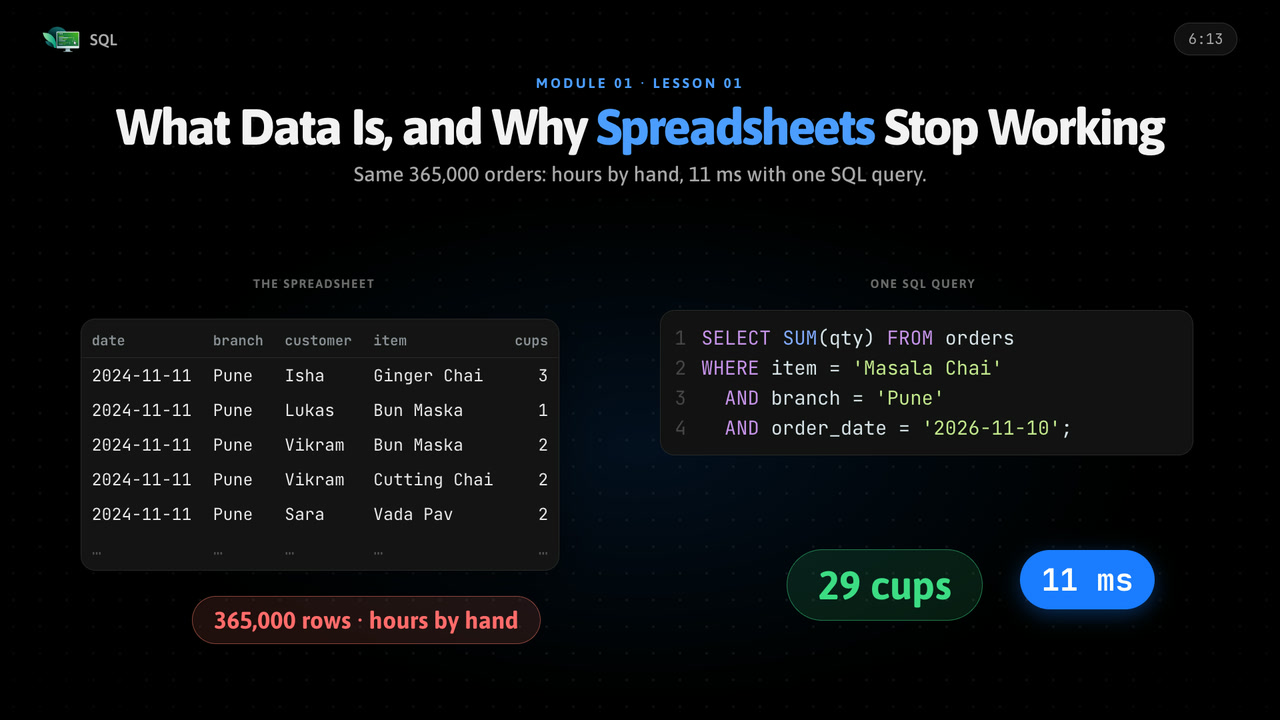
SQL free demo: What Data Is, and Why Spreadsheets Stop Working thumbnail

Free demo lectures8 videos

Career outcomes

Build skills that open doors to real roles

Use your SQL knowledge in portfolio projects, interviews, and practical work for roles such as these.

01

SQL Developer

Entry level
02

Data Analyst

Mid level
03

Database Engineer

Senior track

About this SQL course

This SQL course turns important concepts into clear visual explanations you can learn in short sessions and revisit whenever you need a refresher.

Work through 114 videos at your own pace, apply each idea through structured examples and assignments, track your progress, and earn a certificate when you finish.

Skills you will learn

Queries, functions, GROUP BY and JOINs on real PostgreSQL 18 and DBeaver

Build practical understanding through visual explanations, guided examples, and focused practice.

Database design, transactions, CTEs and window functions

Build practical understanding through visual explanations, guided examples, and focused practice.

Indexes, EXPLAIN, security, backups and SQL from Python

Build practical understanding through visual explanations, guided examples, and focused practice.

Data analysis, MySQL, SQLite, BigQuery, 6 builds and interview prep

Build practical understanding through visual explanations, guided examples, and focused practice.

Who this course is for

Backend developers

Build a clear SQL foundation with visual explanations that do not assume prior expertise.
Data analysts

Fill knowledge gaps and apply SQL concepts more confidently in practical work.

Database interview candidates

Use structured lessons and focused practice to support projects, interviews, and career growth.

Topics

Queries, functions, GROUP BY and JOINs on real PostgreSQL 18 and DBeaverDatabase design, transactions, CTEs and window functionsIndexes, EXPLAIN, security, backups and SQL from PythonData analysis, MySQL, SQLite, BigQuery, 6 builds and interview prepSQL fundamentalsPractical examplesDebugging techniquesProduction best practicesInterview preparation

Syllabus

What is inside the course

Review the SQL curriculum module by module, from core concepts through six real builds, a capstone and interview prep.

01Welcome to Databases5 lessons • 23 min

See what data is, why spreadsheets stop working as a business grows, what a database and SQL are, what happens when you run a query, and meet the Chai Corner café database you will use all course.

What Data Is, and Why Spreadsheets Stop Working6:13
What a Database Is4:31
What SQL Is and What Happens When You Run a Query4:18
One Language, Many Databases4:07
The Course Map and the Chai Corner Database3:56
02Setting Up4 lessons • 17 min

Install PostgreSQL 18 on Windows or Mac, connect with DBeaver, try psql in a terminal, and load the Chai Corner database so every later lesson runs on your own machine.

Installing PostgreSQL 18 on Windows and Mac4:52
Installing DBeaver and Connecting to Your Database4:20
psql: the Database in a Terminal4:14
Loading the Chai Corner Database3:52
03Your First Queries6 lessons • 21 min

Write your first queries: read a table with SELECT and FROM, pick columns, do maths and rename with AS, keep rows with WHERE, AND, OR, NOT, IN, BETWEEN, LIKE and ILIKE, and handle NULL.

SELECT and FROM: Reading a Table3:41
Choosing Columns, Maths and AS3:35
WHERE: Keeping Only the Rows You Want3:27
AND, OR, NOT and Brackets3:27
IN, BETWEEN, LIKE and ILIKE3:29
NULL: the Unknown Value3:22
04Sorting and Limiting3 lessons • 9 min

Sort results with ORDER BY, take a page of rows with LIMIT and OFFSET, and remove repeated rows with DISTINCT.

ORDER BY: Sorting Rows3:33
LIMIT and OFFSET2:46
DISTINCT: Removing Repeated Rows2:34
05Data Types5 lessons • 14 min

Choose the right data type: integers, numeric and float, char, varchar and text, dates and times, boolean, UUID and JSON, and convert between them with CAST and ::.

Numbers: Integer, Numeric, Float3:00
Text: char, varchar, text2:51
Dates and Times2:53
Boolean, UUID and JSON2:49
CAST and ::2:32
06Functions5 lessons • 13 min

Use text, number and date functions, make decisions inside a query with CASE WHEN, and handle missing values with COALESCE and NULLIF.

Text Functions2:18
Number Functions2:37
Date Functions2:54
CASE WHEN2:23
COALESCE and NULLIF2:24
07Summarising Data6 lessons • 1 build • 19 min

Summarise data with COUNT, SUM, AVG, MIN and MAX, group rows with GROUP BY, filter groups with HAVING, learn the order SQL runs your query, use FILTER, and build the Café Sales Report.

COUNT, SUM, AVG, MIN, MAX2:43
COUNT(*), COUNT(column) and COUNT(DISTINCT)2:06
GROUP BY: Making Piles2:19
HAVING vs WHERE2:34
The Order SQL Runs Your Query2:26
FILTER: Many Counts in One Query2:31
The Café Sales Report4:01
08Designing a Database6 lessons • 15 min

Design a database: why data is split into tables, primary and foreign keys, one to one, one to many and many to many relationships, normalisation to 3NF, and drawing an ER diagram.

Why We Split Data into Many Tables2:42
Primary Keys: One Unique ID per Row2:48
Foreign Keys: Linking Tables Together2:49
Relationships: One to One, One to Many, Many to Many2:37
Normalisation: 1NF, 2NF, 3NF2:19
Drawing an ER Diagram2:08
09JOINs7 lessons • 16 min

Combine tables with INNER, LEFT, RIGHT, FULL OUTER, self and CROSS joins, join three or more tables, and avoid the common JOIN mistakes that give duplicates and wrong totals.

INNER JOIN: Pairing Matching Rows2:10
LEFT JOIN and RIGHT JOIN: Keeping Rows With No Match2:25
FULL OUTER JOIN: Everything From Both Sides2:16
Joining Three or More Tables2:14
Self Join: a Table Joined to Itself2:33
CROSS JOIN: Every Combination2:21
JOIN Mistakes: Duplicates, Wrong Totals, Forgotten ON2:30
10Subqueries and Set Operations5 lessons • 1 build • 18 min

Put a query inside a query: subqueries in WHERE, SELECT and FROM, IN, EXISTS and the NOT IN with NULL trap, correlated subqueries, UNION, INTERSECT and EXCEPT, then build Customer Insights.

A Query Inside a Query: Subquery in WHERE2:55
IN, EXISTS, NOT EXISTS and the NOT IN + NULL Trap2:34
Subqueries in SELECT and FROM: Derived Tables2:37
Correlated Subqueries: Once for Every Row2:56
UNION, INTERSECT and EXCEPT2:32
Customer Insights4:23
11Creating Tables5 lessons • 14 min

Create your own tables with columns, types and constraints, link them with foreign keys and ON DELETE, change them with ALTER TABLE, and know when to use DROP, TRUNCATE or DELETE.

CREATE TABLE: Columns and Types3:13
Constraints2:48
Foreign Keys and ON DELETE2:55
ALTER TABLE2:53
DROP, TRUNCATE and DELETE2:32
12Changing Data5 lessons • 12 min

Change data safely: INSERT, UPDATE and DELETE without accidents, soft delete, UPSERT with ON CONFLICT, and importing and exporting CSV files.

INSERT2:28
UPDATE Safely2:33
DELETE Safely, and Soft Delete2:35
UPSERT: INSERT ... ON CONFLICT2:29
Importing and Exporting CSV Files2:09
13Transactions4 lessons • 1 build • 16 min

Keep data correct with transactions: BEGIN, COMMIT, ROLLBACK and SAVEPOINT, ACID in plain words, isolation levels, locks and deadlocks, then build Chai Corner Online Orders.

Transactions: All or Nothing2:42
BEGIN, COMMIT, ROLLBACK, SAVEPOINT2:56
ACID in Plain Words2:42
Isolation Levels, Locks and Deadlocks3:51
Chai Corner Online Orders4:03
14CTEs3 lessons • 10 min

Break long queries into small, readable named steps with WITH, chain many CTEs, and walk trees and chains with recursive CTEs.

WITH: Naming a Step of Your Query3:05
Many CTEs: Small, Readable Steps3:11
Recursive CTEs: Trees and Chains3:24
15Window Functions7 lessons • 20 min

Rank, number and compare rows with window functions: ROW_NUMBER, RANK, DENSE_RANK, PARTITION BY, running totals, moving averages, LAG, LEAD, NTILE, and top N per group.

What a Window Is2:38
ROW_NUMBER, RANK, DENSE_RANK2:48
PARTITION BY2:39
Running Totals and Moving Averages3:00
LAG and LEAD2:41
FIRST_VALUE, LAST_VALUE and NTILE3:16
Top N per Group, and Removing Duplicates2:35
16Views, Functions and JSON5 lessons • 1 build • 16 min

Save queries as views and materialized views, write your own functions, procedures and triggers, store flexible data with JSONB, then build the Business Dashboard.

Views: Saving a Query as a Virtual Table2:23
Materialized Views: Saving the Result for Speed2:42
Writing Your Own Functions and Procedures2:37
Triggers: Running Code When Data Changes2:36
JSON and JSONB: Storing Flexible Data2:41
The Business Dashboard3:29
17Indexes5 lessons • 15 min

See how an index finds a row without a full scan, create indexes on 100,000 orders, get multi-column order right, read EXPLAIN and EXPLAIN ANALYZE, and learn when indexes hurt.

Full Scan vs Index: How a Database Finds a Row3:00
Creating an Index on 100,000 Orders2:56
Multi-Column Indexes: Why Column Order Matters2:49
EXPLAIN and EXPLAIN ANALYZE: Reading a Query Plan3:03
When Indexes Hurt: Writes, Unused Indexes, Low-Variety Columns2:47
18Making Queries Fast4 lessons • 14 min

Fix the usual slow query patterns, page fast with keyset pagination, see how the planner uses statistics, ANALYZE and VACUUM, and tune a query from 3 seconds to 1 millisecond.

The Usual Slow Patterns: SELECT *, Functions on Columns, Leading % in LIKE2:59
Faster Paging: Keyset Pagination Instead of a Big OFFSET3:43
How the Planner Decides: Statistics, ANALYZE and VACUUM3:37
A Full Tuning Walkthrough: From 3 Seconds to 1 Millisecond3:25
19Users, Security and Backups4 lessons • 12 min

Protect a database: users and roles with GRANT and REVOKE, how parameterised queries stop SQL injection, backups with pg_dump and pg_restore, and row-level security.

Users and Roles: GRANT, REVOKE and Least Privilege2:50
SQL Injection, and How Parameterised Queries Stop It2:56
Backups and Restore: pg_dump and pg_restore3:07
Row-Level Security: Each Branch Sees Only Its Own Data2:59
20SQL from Code3 lessons • 10 min

Use SQL from Python with psycopg and safe queries, see what an ORM is and when raw SQL is better, and change a live database safely with migrations.

Connecting from Python: psycopg and Safe Queries3:19
What an ORM Is, and When Raw SQL Is Better3:26
Migrations: Changing a Live Database Safely3:08
21SQL for Data Analysis4 lessons • 12 min

Analyse data with SQL: clean messy data, build date reports with week and month buckets, pivot rows into columns, and export results to Google Sheets for a chart.

Cleaning Messy Data: Duplicates, Extra Spaces, Wrong Formats3:13
Date Reports: Filling Missing Days, Week and Month Buckets2:52
Pivoting Rows into Columns2:39
From SQL to a Chart: Exporting to Google Sheets3:05
22Other Databases and Interviews7 lessons • 2 builds • 36 min

See what changes in MySQL, SQLite and BigQuery, solve classic interview problems, design a database in an interview, answer the top 50 SQL interview questions, follow a 30-day practice plan, and finish with an interview mock and the capstone.

MySQL and SQLite: What Changes, What Stays the Same3:08
Cloud Warehouses (BigQuery, Snowflake) and When to Choose NoSQL3:57
Classic Interview Problems 1: Second Highest Salary, Duplicates, Nth Row3:04
Classic Interview Problems 2: Consecutive Days, Gaps and Islands, Streaks2:44
Design Interview: the Database for a Food Delivery App3:07
The Top 50 SQL Interview Questions, Answered8:01
How to Keep Practising: Free Practice Sites and a 30-Day Plan3:00
Interview Mock4:36
Capstone: Raw CSV to a Final Report4:18
22Modules
114Videos
108Lessons
6Builds
Combos

Learn a whole skill, not one topic

Courses grouped into a path, in the order we would teach them. One payment, and every course in the set gets 3 months of access per course in the set.

RecommendedSave 10%

SQL & Python Data Combo

Query, clean and report on real data with SQL on PostgreSQL, then automate and analyse it with Python.


SQL
114 videos · Beginner to Job Ready
Python
120 videos · All Level
₹538₹598

2 courses · 5 months access to each

Get this combo
Interview readySave 10%

C++ Interview Prep Combo

Crack coding rounds with DSA in C++, then clear the system design round.

DSA with C++
218 videos · All Level
System Design
122 videos · All Level
₹538₹598

2 courses · 5 months access to each

Get this combo
Most popularSave 20%

Java Backend Engineer Combo

DSA in Java, Spring Boot APIs, system design and DevOps for backend roles.

DSA with Java
218 videos · All Level
Spring Boot
105 videos · All Level
System Design
122 videos · All Level
DevOps
110 videos · All Level
₹957₹1,196

4 courses · 9 months access to each

Get this combo
Longer access with more courses (3 courses = 7 months each)A certificate for each course in the combo
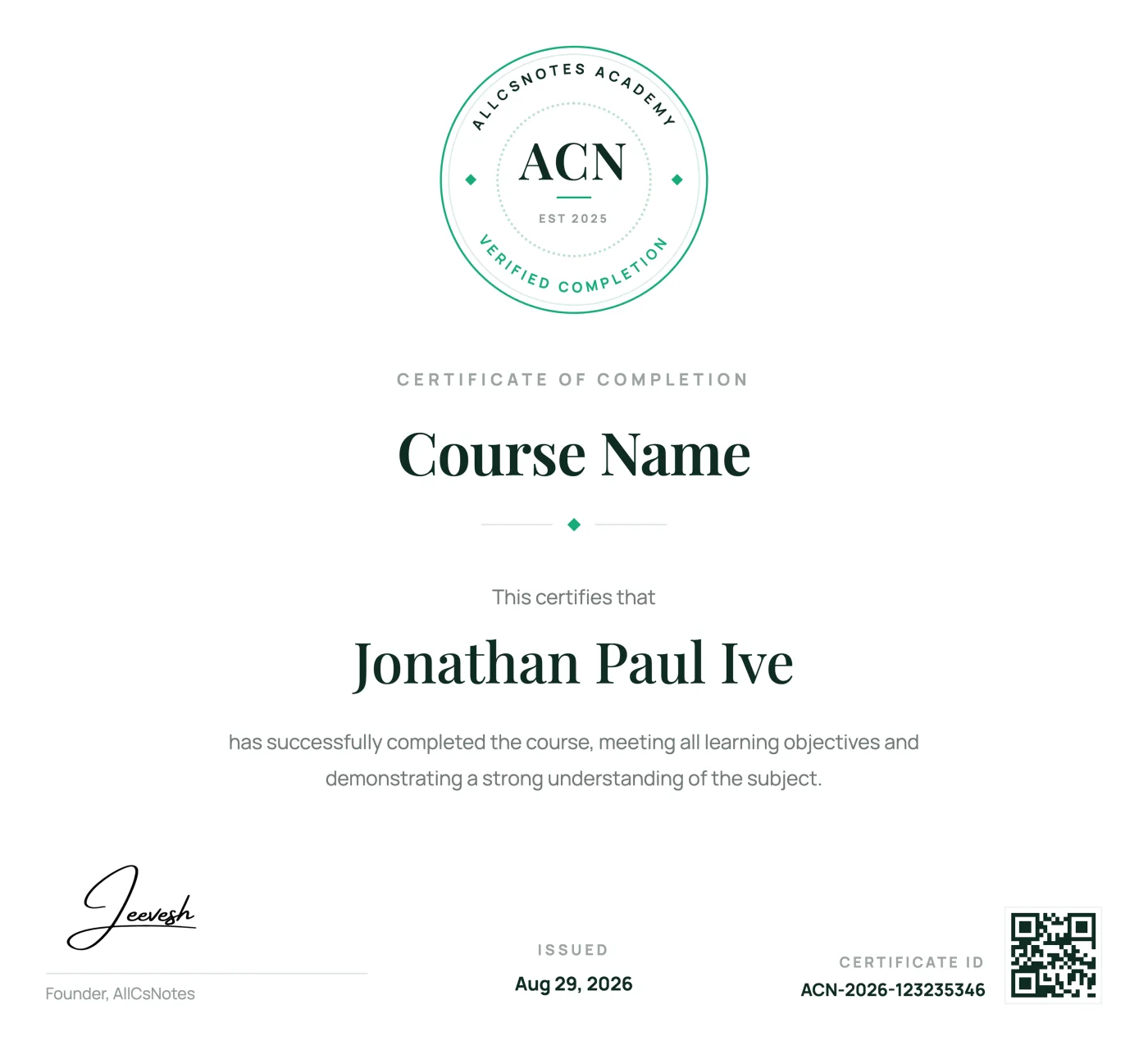
SQL verified course completion certificate

Course certificate

Showcase your skills with a course certificate

Complete every SQL lesson to earn a verified AllCSVideos certificate that demonstrates your commitment and newly developed skills.

Verified proof of completion

Receive a unique certificate ID that confirms your completed course.

Ready to share

Add your achievement to LinkedIn, your portfolio, resume, or social profile.

Accessible whenever you need it

Return to your certificate and learning record from your AllCSVideos account.

Checking your library...
Testimonials

What learners say after finishing

Real learning stories from people building practical skills with visual notes.

4.8/5

10,000+ verified public & course reviews

Learner story
“The visual notes finally made React hooks click for me. I had watched several tutorials before, but this was the first time the concepts felt connected. I finished the course during one week of train rides.”
Aanya S.
Aanya S.
React
Learner story
“I used one DSA lesson each morning and became much more confident explaining solutions in interviews.”
Shruti P.
Shruti P.
Data Structures and Algorithms
Learner story
“Short pages, no filler. I stopped abandoning courses halfway once I switched to reading instead of watching.”
Arjun T.
Arjun T.
JavaScript
Learner story
“The Python examples went straight into my project the same afternoon. Clear and practical from the first lesson.”
Fatima S.
Fatima S.
Python
Learner story
“I keep the SQL notes open while I work. Joins and window functions are easier to recall because I can find the exact visual explanation in seconds. It has become a daily reference, not just a course I completed.”
Rahul M.
Rahul M.
SQL
Learner story
“My approach to system design became much more structured within a month of finishing the course.”
Ishita R.
Ishita R.
System Design
Learner story
“The TypeScript course helped me understand the reason behind the types, not only the syntax. My project code feels much safer now.”
Dev P.
Dev P.
TypeScript
Learner story
“I came for Next.js and stayed for the visual explanations. Server and client components finally make sense without replaying long videos.”
Ishaan R.
Ishaan R.
Next.js
Learner story
“The Node.js course connected routing, validation, security, and deployment into one clear mental model. I now understand how the pieces fit together in a production API.”
Kabir N.
Kabir N.
Node.js
Learner story
“Data Analytics felt much less intimidating once every workflow was broken into short visual steps. I could practice one idea at a time.”
Rohan K.
Rohan K.
Data Analytics
Learner story
“The DevOps notes gave me a practical path from containers to delivery pipelines. I return to the diagrams whenever I need to explain a workflow to my team.”
Aman V.
Aman V.
DevOps
Learner story
“Generative AI finally felt concrete. The sections on prompts, RAG, and evaluation helped me move from experiments to a project I could actually demonstrate.”
Meera A.
Meera A.
Generative AI
Questions

Frequently asked questions

Still have questions? Let's talk

Learner finding answers about visual computer science courses
Are these video courses?
Yes. Every lesson is a short animated video with voice explanation, so you can watch, pause, and rewatch any concept whenever you need a quick explanation.
How long does one course take to finish?
The DSA with C++ course has 218 videos with more than 25 hours of content, the DSA with Java course has 218 videos with more than 26 hours, the DSA with Python course has 218 videos with more than 26 hours, the System Design course has 122 videos with more than 32 hours, the Spring Boot course has 105 videos with more than 24 hours, the Generative AI course has 98 videos with more than 25 hours, the DevOps course has 110 videos with more than 32 hours, the Python course has 120 videos with more than 34 hours, the React course has 114 videos with more than 24 hours, the TypeScript course has 120 videos with more than 24 hours, the Performance Marketing course has 100 videos with more than 5 hours, the AI Video Creation course has 70 videos with about 4 hours, and the SQL course has 114 videos with about 6 hours. Most lessons take under fifteen minutes. Your completion time depends on your pace, but you can make useful progress every day.
How long do I get access?
Each purchase gives you 3 months of access. You can renew anytime for the same price. If you renew early, the new 3 months are added after your current access ends, so you lose no days.
Do I get a certificate?
Yes. You receive a certificate after completing each eligible course. It can be shared as evidence of the topics and practical skills you covered.
What skill level do I need to start?
The course begins at a beginner level and requires no previous DSA experience. Basic C++ is covered in the first module, so you can start from the beginning.
Do I keep access to my course?
You keep access for 3 months from your purchase. After that you can renew at any time, and your saved progress is waiting for you when you come back.
Do the lessons get updated?
Yes. When an important tool, technique, or standard changes, affected lessons are updated and the new version appears in your course at no extra cost.