

All CS Videos

Computer Networks

Earn ₹5–24 LPAwith computer networks skills

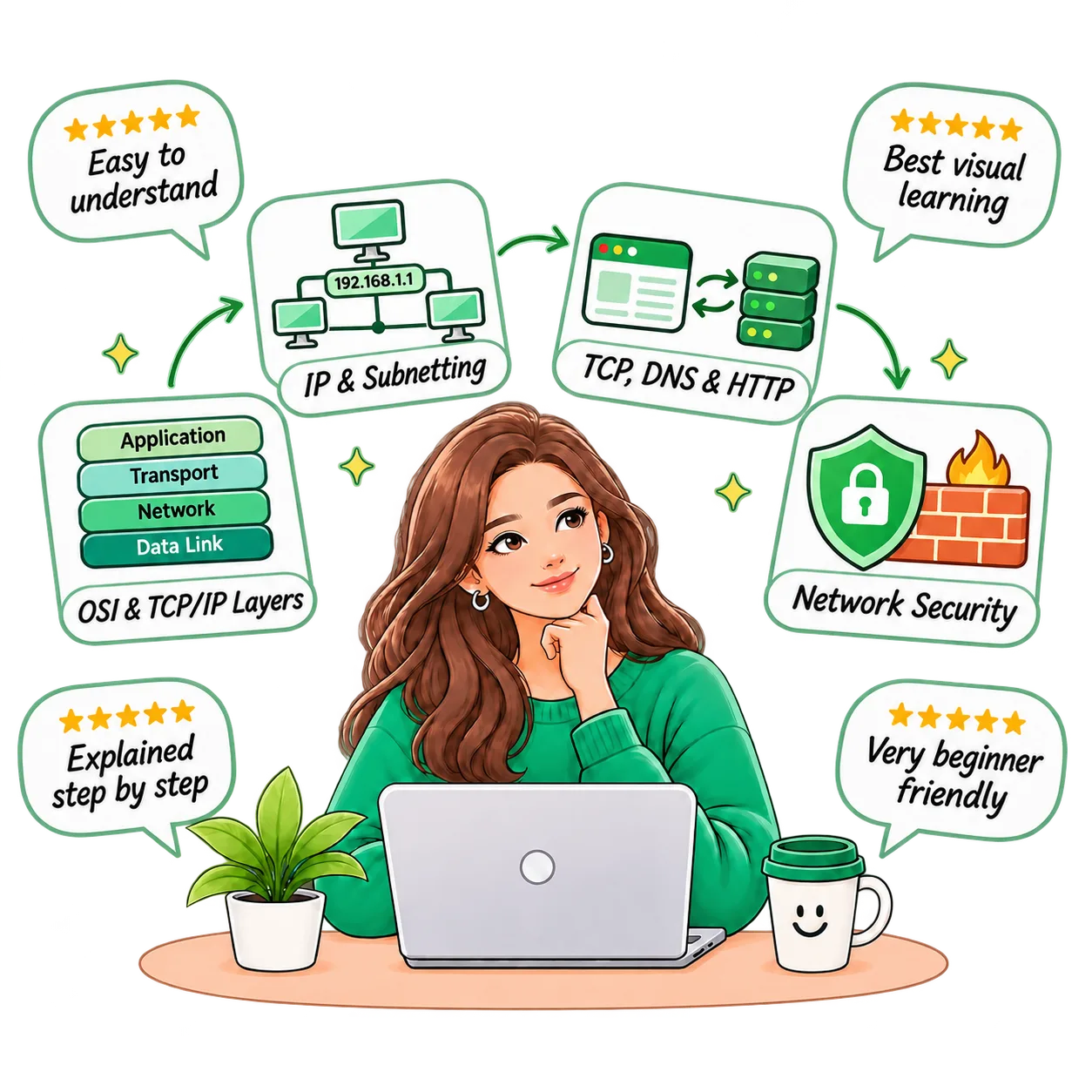
Go from beginner to job-ready networking with 135 animated videos and a real Docker lab: TCP/IP, subnetting, routing, DNS, HTTP, security, 10 builds.

Computer Networks course banner
₹299₹1,99985% off
Checking your library...
2,300+ learners enrolled
One-time payment. 3 months access to every video in this course.
4.92,300+ ratings
Beginner to Job ReadySkill level
135 videos9 hours
CertificateShareable on finish

Course preview

See how the lessons work before you buy

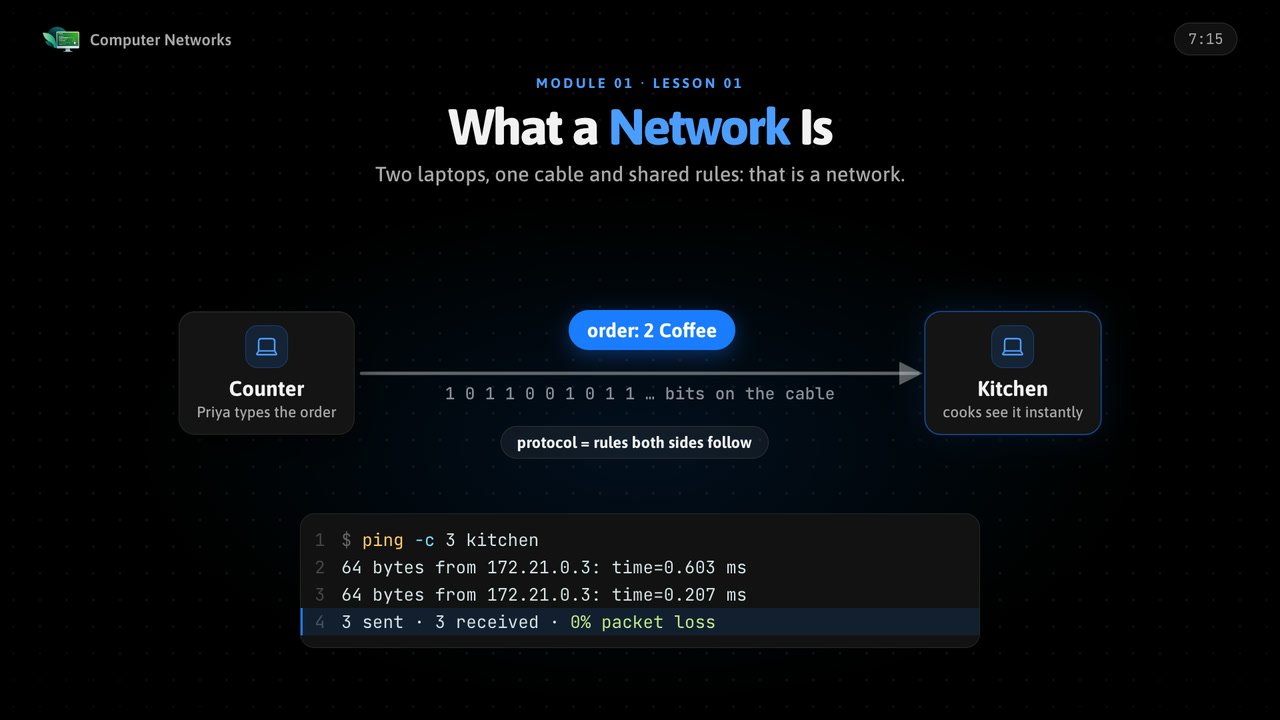
Watch free demo lectures from the course to see the visual, voice-explained teaching before enrolling.

Computer Networks free demo: What a Network Is thumbnail

Free demo lectures8 videos

Career outcomes

Build skills that open doors to real roles

Use your Computer Networks knowledge in portfolio projects, interviews, and practical work for roles such as these.

01

Network Engineer

Entry level
02

Cloud Engineer

Mid level
03

Security Analyst

Senior track

About this computer networks course

This Computer Networks course turns important concepts into clear visual explanations you can learn in short sessions and revisit whenever you need a refresher.

Work through 135 videos at your own pace, apply each idea through structured examples and assignments, track your progress, and earn a certificate when you finish.

Skills you will learn

OSI and TCP/IP layers, Ethernet, switches and VLANs in a real Docker lab

Build practical understanding through visual explanations, guided examples, and focused practice.

IP addresses, subnetting, routing, NAT, DHCP and IPv6

Build practical understanding through visual explanations, guided examples, and focused practice.

TCP, UDP, DNS and HTTP watched live in Wireshark

Build practical understanding through visual explanations, guided examples, and focused practice.

Security, Wi-Fi, troubleshooting, cloud networks, 10 builds and interview prep

Build practical understanding through visual explanations, guided examples, and focused practice.

Who this course is for

Computer science students and exam takers

Build a clear Computer Networks foundation with visual explanations that do not assume prior expertise.
Developers who want to know what happens on the wire

Fill knowledge gaps and apply Computer Networks concepts more confidently in practical work.

Aspiring network, cloud and security engineers

Use structured lessons and focused practice to support projects, interviews, and career growth.

Topics

OSI and TCP/IP layers, Ethernet, switches and VLANs in a real Docker labIP addresses, subnetting, routing, NAT, DHCP and IPv6TCP, UDP, DNS and HTTP watched live in WiresharkSecurity, Wi-Fi, troubleshooting, cloud networks, 10 builds and interview prepComputer Networks fundamentalsPractical examplesDebugging techniquesProduction best practicesInterview preparation

Syllabus

What is inside the course

Review the Computer Networks curriculum module by module, from core concepts through ten real lab builds, numericals and interview prep.

01Welcome to Computer Networks5 lessons • 30 min

See what a network is, how the internet is a network of networks, how packets and packet switching work, why protocols come in layers, and meet the Chai Corner café network you will build all course.

What a Network Is7:15
The Internet Is a Network of Networks6:54
Packets and Packet Switching5:37
Protocols and Layers5:43
Course Map and Tools4:36
02Setting Up Your Network Lab4 lessons • 23 min

Set up your lab: a terminal and your first ping, Docker with two containers talking, Wireshark capturing your first packets, and reading your own network settings.

Terminal and First Ping5:39
Docker and Two Containers5:49
Wireshark and First Packets5:35
Reading Your Network Settings5:58
03Layers: OSI and TCP/IP6 lessons • 24 min

Learn why networks use layers, the OSI and TCP/IP models, encapsulation, the name of data at each layer, and follow one web request through every layer.

Why Layers4:48
The OSI Model4:07
The TCP/IP Model3:51
Encapsulation3:55
Names of Data at Each Layer3:30
Following One Web Request4:14
04The Physical Layer6 lessons • 22 min

Turn bits into signals, measure bandwidth, throughput and latency, work out the four delays, and compare cables, encoding, topologies and simple devices.

Bits as Signals3:44
Bandwidth, Throughput and Latency3:48
The Four Delays4:13
Cables3:12
Encoding and Modulation3:20
Topologies and Simple Devices3:38
05The Data Link Layer7 lessons • 25 min

Frames, MAC addresses, error detection with parity, checksums, CRC step by step and Hamming code, reliable delivery, and how devices share one medium.

Framing3:27
MAC Addresses3:15
Error Detection2:54
CRC Step by Step3:32
Hamming Code3:19
Reliable Delivery3:54
Sharing One Medium4:45
06Switches and LANs6 lessons • 1 build • 25 min

Hubs vs switches, how a switch learns MAC addresses, ARP, broadcast and collision domains, VLANs and spanning tree, then build the Chai Corner café LAN.

Hub vs Switch3:28
How a Switch Learns3:24
ARP4:02
Broadcast and Collision Domains3:22
VLANs3:34
Loops and Spanning Tree3:12
The Chai Corner Cafe LAN3:46
07IP Addresses7 lessons • 33 min

Binary for networking, the IPv4 address, network and host parts, classes and CIDR, private and special addresses, the IPv4 header, MTU and fragmentation.

Binary for Networking4:43
The IPv4 Address4:03
Network Part and Host Part4:45
Address Classes and CIDR5:21
Private, Public and Special Addresses5:29
The IPv4 Header3:55
MTU and Fragmentation4:26
08Subnetting6 lessons • 1 build • 30 min

Split networks with subnetting step by step and the magic number trick, VLSM, supernetting and summarisation, 20 practice questions, and the Chai Corner address plan.

Why Split a Network4:02
Subnetting Step by Step5:00
Fast Subnetting: The Magic Number4:32
VLSM3:15
Supernetting and Route Summarisation3:23
20 Subnetting Questions6:16
The Chai Corner Address Plan3:29
09Routing8 lessons • 33 min

What a router does, the default gateway, routing tables and longest prefix match, static routes, distance vector and link state routing, BGP, TTL and traceroute.

What a Router Does3:58
The Default Gateway3:33
Routing Table and Longest Prefix Match4:07
Static Routes4:19
Distance Vector Routing4:46
Link State Routing4:19
Autonomous Systems and BGP4:17
TTL, ICMP and Traceroute4:10
10NAT, DHCP and ICMP5 lessons • 20 min

DHCP handing out addresses, NAT, port forwarding and CGNAT, ICMP, and what your home router really does.

DHCP4:23
NAT3:52
Port Forwarding and CGNAT4:21
ICMP3:38
Your Home Router3:32
11IPv64 lessons • 1 build • 18 min

Why IPv4 ran out, writing IPv6 addresses short, the IPv6 header, SLAAC and neighbour discovery, dual stack and NAT64, then connect the Chai Corner branches with real routers.

Why IPv4 Ran Out3:37
Shortening IPv6 Addresses2:51
IPv6 Header, SLAAC and Neighbour Discovery3:59
Dual Stack, Tunnels and NAT643:45
Connecting the Chai Corner Branches3:26
12Ports, Sockets and UDP5 lessons • 16 min

Ports and sockets, the famous port numbers, UDP send and forget, the UDP header and checksum, and when UDP is the right choice.

Ports3:31
Sockets and Famous Ports3:13
UDP: Send and Forget3:07
The UDP Header and Checksum2:53
When UDP Is the Right Choice2:54
13TCP9 lessons • 1 build • 31 min

What TCP promises, the three-way handshake, sequence and acknowledgement numbers, every header field, retransmission, flow and congestion control, closing a connection, and a Chai Corner chat app.

What TCP Promises2:45
The Three-Way Handshake2:43
Sequence and Acknowledgement Numbers3:02
The TCP Header Field by Field3:16
Lost Packets and Retransmission3:22
Flow Control and the Receive Window3:01
Congestion Control: Slow Start and AIMD3:20
Closing a Connection: FIN, TIME_WAIT, RST3:01
TCP vs UDP: How to Choose3:21
Chai Corner Chat2:43
14DNS6 lessons • 1 build • 24 min

Why we need DNS, the full journey of a lookup, record types, caching and TTL, dig and nslookup, fixing broken DNS, and running your own DNS server.

Names to Numbers: Why We Need DNS2:45
The Full Journey of a DNS Lookup3:56
DNS Record Types3:22
Caching and TTL3:09
dig and nslookup Like a Professional3:31
When DNS Breaks3:47
Our Own DNS Server3:22
15The Web: HTTP7 lessons • 1 build • 25 min

What happens when you press Enter, HTTP requests and responses with curl, methods and status codes, headers and cookies, HTTP/2 and HTTP/3, proxies, load balancers and CDNs, and a website server build.

Type a URL and Press Enter3:24
HTTP Requests and Responses with curl3:09
HTTP Methods and Status Codes3:22
Headers, Cookies and Sessions2:45
HTTP/1.1, HTTP/2 and HTTP/33:27
Proxies, Reverse Proxies and Load Balancers2:49
Caching and CDNs3:26
The Chai Corner Website Server2:45
16More Application Protocols5 lessons • 32 min

Email with SMTP, IMAP and POP3, SSH and file transfer, WebSockets, peer to peer with BitTorrent and WebRTC, and NTP, SNMP and syslog.

Email: SMTP, IMAP and POP36:25
SSH and File Transfer6:43
WebSockets and Real-time Apps5:29
Peer to Peer: BitTorrent and WebRTC7:32
NTP, SNMP and syslog6:07
17Network Security8 lessons • 1 build • 40 min

What can go wrong, cryptography basics, TLS and HTTPS, certificates, firewalls, VPNs, common attacks, IDS, IPS and zero trust, then secure Chai Corner.

What Can Go Wrong on a Network4:46
Cryptography Basics4:37
TLS and HTTPS4:37
Certificates and Certificate Authorities4:49
Firewalls4:06
VPNs4:28
Attacks: ARP, DNS Spoofing, SYN Flood5:28
IDS, IPS and Zero Trust4:18
Securing Chai Corner3:19
18Wireless and Mobile Networks5 lessons • 15 min

How Wi-Fi works, CSMA/CA and the hidden node, WPA2 and WPA3, 4G and 5G mobile networks, and Bluetooth and IoT networks.

How Wi-Fi Works3:13
CSMA/CA and the Hidden Node2:59
Wi-Fi Security: WPA2 and WPA33:25
Mobile Networks: 4G and 5G2:58
Bluetooth and IoT Networks2:47
19Troubleshooting Networks5 lessons • 1 build • 19 min

A troubleshooting method that always works, the toolkit, Wireshark like a professional, a slow network, ten real problems solved, and the Wireshark detective build.

A Method That Always Works3:10
The Troubleshooting Toolkit2:48
Wireshark Like a Professional2:22
A Slow Network2:33
Ten Real Problems Solved4:39
Wireshark Detective3:23
20Cloud and Data Center Networks5 lessons • 14 min

Inside a data center, cloud networks and VPCs, load balancers, container networking and software defined networking.

Inside a Data Center2:44
Cloud Networks: VPC2:45
Load Balancers2:41
Container Networking2:57
Software Defined Networking2:30
21Interviews and Exams6 lessons • 2 builds • 41 min

The top 50 interview questions, what happens when you type a website name, numericals on delays, windows, CRC, subnetting and routing, how to keep going, a timed mock interview and the capstone network.

Top 50 Interview Questions12:16
What Happens When You Type a Website Name3:47
Numericals 1: Delays and Throughput4:03
Numericals 2: Window, CRC, Subnetting4:26
Numericals 3: Routing, Dijkstra, Congestion3:54
How to Keep Going3:20
Interview Mock5:36
Capstone: The Complete Chai Corner Network4:06
21Modules
135Videos
125Lessons
10Builds
Combos

Learn a whole skill, not one topic

Courses grouped into a path, in the order we would teach them. One payment, and every course in the set gets 3 months of access per course in the set.

RecommendedSave 10%

Networks & DevOps Combo

Understand how networks really work in a hands-on lab, then run, ship and monitor apps on servers and the cloud.


Computer Networks
135 videos · Beginner to Job Ready
DevOps
110 videos · All Level
₹538₹598

2 courses · 5 months access to each

Get this combo
RecommendedSave 10%

Cybersecurity & Networks Combo

Learn how networks really work in a real lab, then learn to defend them: firewalls, logs, intrusion detection, a SIEM and incident response.

Cybersecurity
131 videos · Beginner to Job Ready
Computer Networks
135 videos · Beginner to Job Ready
₹538₹598

2 courses · 5 months access to each

Get this combo
Interview readySave 10%

C++ Interview Prep Combo

Crack coding rounds with DSA in C++, then clear the system design round.

DSA with C++
218 videos · All Level
System Design
122 videos · All Level
₹538₹598

2 courses · 5 months access to each

Get this combo
Longer access with more courses (3 courses = 7 months each)A certificate for each course in the combo
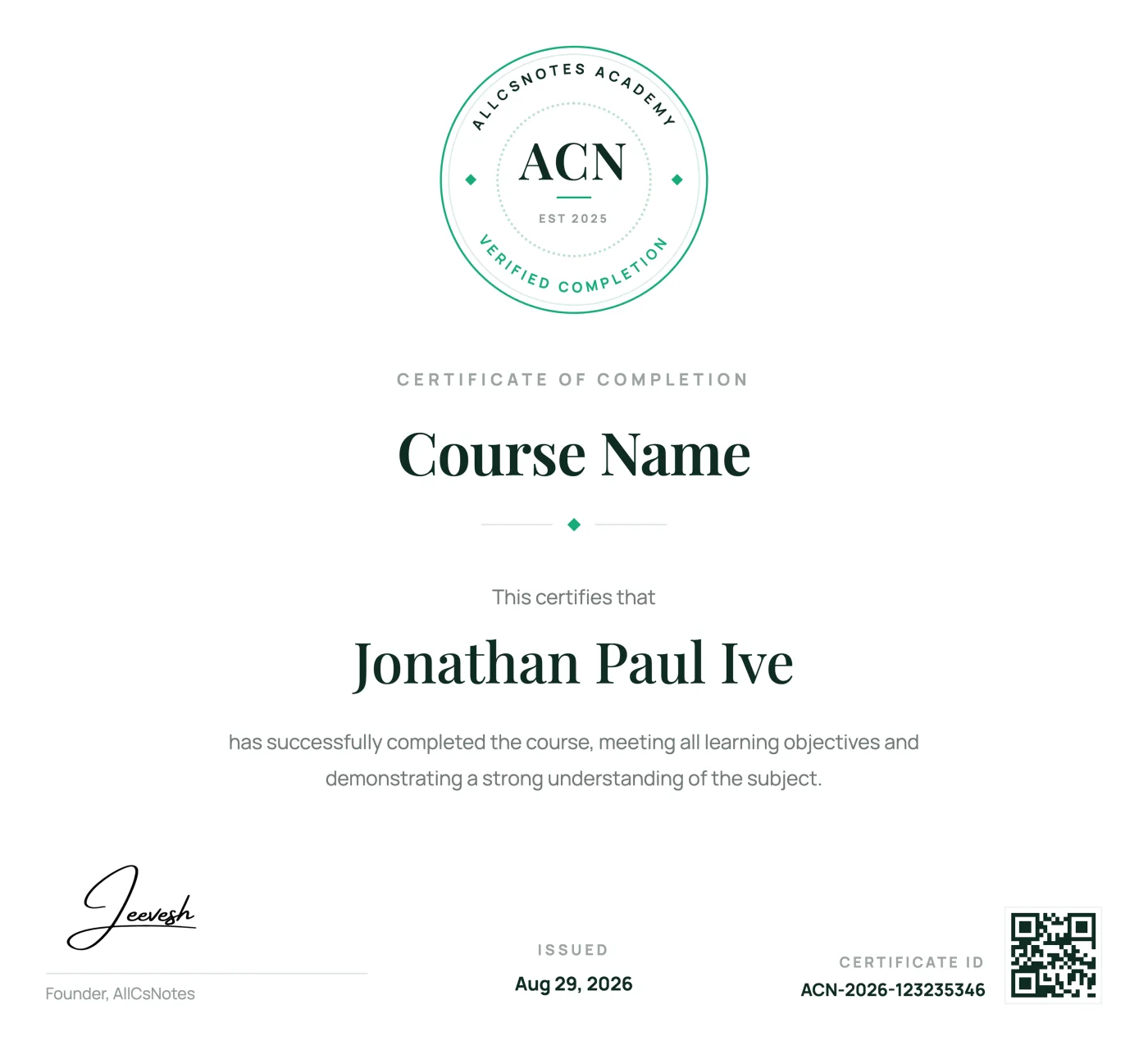
Computer Networks verified course completion certificate

Course certificate

Showcase your skills with a course certificate

Complete every Computer Networks lesson to earn a verified AllCSVideos certificate that demonstrates your commitment and newly developed skills.

Verified proof of completion

Receive a unique certificate ID that confirms your completed course.

Ready to share

Add your achievement to LinkedIn, your portfolio, resume, or social profile.

Accessible whenever you need it

Return to your certificate and learning record from your AllCSVideos account.

Checking your library...
Testimonials

What learners say after finishing

Real learning stories from people building practical skills with visual notes.

4.8/5

10,000+ verified public & course reviews

Learner story
“The visual notes finally made React hooks click for me. I had watched several tutorials before, but this was the first time the concepts felt connected. I finished the course during one week of train rides.”
Aanya S.
Aanya S.
React
Learner story
“I used one DSA lesson each morning and became much more confident explaining solutions in interviews.”
Shruti P.
Shruti P.
Data Structures and Algorithms
Learner story
“Short pages, no filler. I stopped abandoning courses halfway once I switched to reading instead of watching.”
Arjun T.
Arjun T.
JavaScript
Learner story
“The Python examples went straight into my project the same afternoon. Clear and practical from the first lesson.”
Fatima S.
Fatima S.
Python
Learner story
“I keep the SQL notes open while I work. Joins and window functions are easier to recall because I can find the exact visual explanation in seconds. It has become a daily reference, not just a course I completed.”
Rahul M.
Rahul M.
SQL
Learner story
“My approach to system design became much more structured within a month of finishing the course.”
Ishita R.
Ishita R.
System Design
Learner story
“The TypeScript course helped me understand the reason behind the types, not only the syntax. My project code feels much safer now.”
Dev P.
Dev P.
TypeScript
Learner story
“I came for Next.js and stayed for the visual explanations. Server and client components finally make sense without replaying long videos.”
Ishaan R.
Ishaan R.
Next.js
Learner story
“The Node.js course connected routing, validation, security, and deployment into one clear mental model. I now understand how the pieces fit together in a production API.”
Kabir N.
Kabir N.
Node.js
Learner story
“Data Analytics felt much less intimidating once every workflow was broken into short visual steps. I could practice one idea at a time.”
Rohan K.
Rohan K.
Data Analytics
Learner story
“The DevOps notes gave me a practical path from containers to delivery pipelines. I return to the diagrams whenever I need to explain a workflow to my team.”
Aman V.
Aman V.
DevOps
Learner story
“Generative AI finally felt concrete. The sections on prompts, RAG, and evaluation helped me move from experiments to a project I could actually demonstrate.”
Meera A.
Meera A.
Generative AI
Questions

Frequently asked questions

Still have questions? Let's talk

Learner finding answers about visual computer science courses
Are these video courses?
Yes. Every lesson is a short animated video with voice explanation, so you can watch, pause, and rewatch any concept whenever you need a quick explanation.
How long does one course take to finish?
The DSA with C++ course has 218 videos with more than 25 hours of content, the DSA with Java course has 218 videos with more than 26 hours, the DSA with Python course has 218 videos with more than 26 hours, the System Design course has 122 videos with more than 32 hours, the Spring Boot course has 105 videos with more than 24 hours, the Generative AI course has 98 videos with more than 25 hours, the DevOps course has 110 videos with more than 32 hours, the Python course has 120 videos with more than 34 hours, the React course has 114 videos with more than 24 hours, the TypeScript course has 120 videos with more than 24 hours, the Performance Marketing course has 100 videos with more than 5 hours, the AI Video Creation course has 70 videos with about 4 hours, the SQL course has 114 videos with about 6 hours, and the Computer Networks course has 135 videos with about 9 hours, the Flutter course has 144 videos with about 11 hours, the Cybersecurity course has 131 videos with about 11 hours, the Data Analytics course has 118 videos with about 7 hours, the Data Science course has 112 videos with about 8 hours, and the HR Management course has 116 videos with about 9 hours. Most lessons take under fifteen minutes. Your completion time depends on your pace, but you can make useful progress every day.
How long do I get access?
Each purchase gives you 3 months of access. You can renew anytime for the same price. If you renew early, the new 3 months are added after your current access ends, so you lose no days.
Do I get a certificate?
Yes. You receive a certificate after completing each eligible course. It can be shared as evidence of the topics and practical skills you covered.
What skill level do I need to start?
The course begins at a beginner level and requires no previous DSA experience. Basic C++ is covered in the first module, so you can start from the beginning.
Do I keep access to my course?
You keep access for 3 months from your purchase. After that you can renew at any time, and your saved progress is waiting for you when you come back.
Do the lessons get updated?
Yes. When an important tool, technique, or standard changes, affected lessons are updated and the new version appears in your course at no extra cost.